
New · for Mac
ZUGFeRD Plugin for FileMaker
The ZUGFeRD Plugin creates ZUGFeRD PDF and XRechnung directly from your FileMaker file. You install only the plugin, it brings everything else with it.
Status: Runs on Macs with Apple silicon. Windows and Intel Macs are in preparation. A trial version is available on request.
How it works
Install just one plugin
You install the plugin in FileMaker Pro and set up the mapping once. The plugin brings the server, the mapping window and the creation of the e-invoice with it.
1
Built-in server
The server is part of the plugin and starts by itself when needed. There is nothing extra to set up.
2
Mapping in your file
The field mapping opens in its own window and is saved in your FileMaker file.
3
One script step
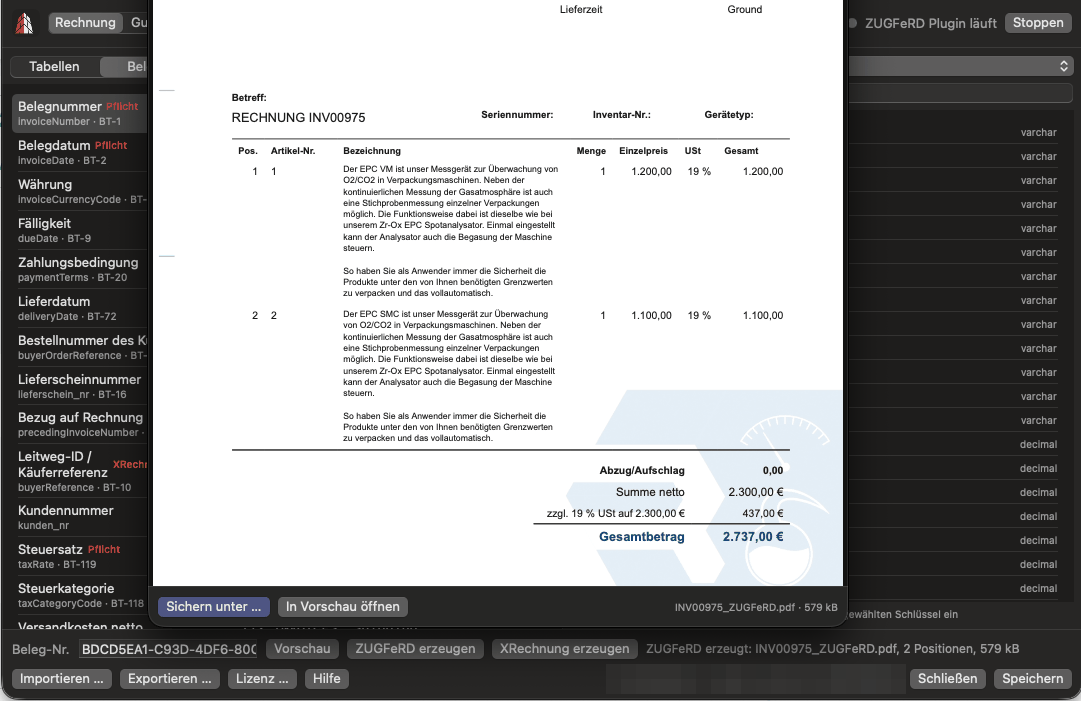
Your script prints the invoice as a PDF into a container field as usual. After that, a single script step is enough.
Call
One script step
Set Field [ TargetField ; ZUGFeRD_Creator ( "Rechnung" ; "" ; "zugferd" ) ]

- The plugin reads the invoice PDF from the container field named in the mapping.
- The finished ZUGFeRD PDF goes into the target field. The target field is a different container field from the one holding the invoice PDF.
- With the format "xrechnung" (or "ubl") instead of "zugferd" you get an XRechnung.
- If the document number is left empty, the current record is used.
- If something goes wrong, the function returns a text starting with FEHLER. It never shows a dialog.
Set up once beforehand:
- Save the mapping in the window. The function works with the saved mapping.
- Enter the license key via the Lizenz button in the mapping window. Without a key the plugin creates nothing.
- On the first save the plugin creates the table ZF_Zuordnung. This needs an account with full access.
Mapping
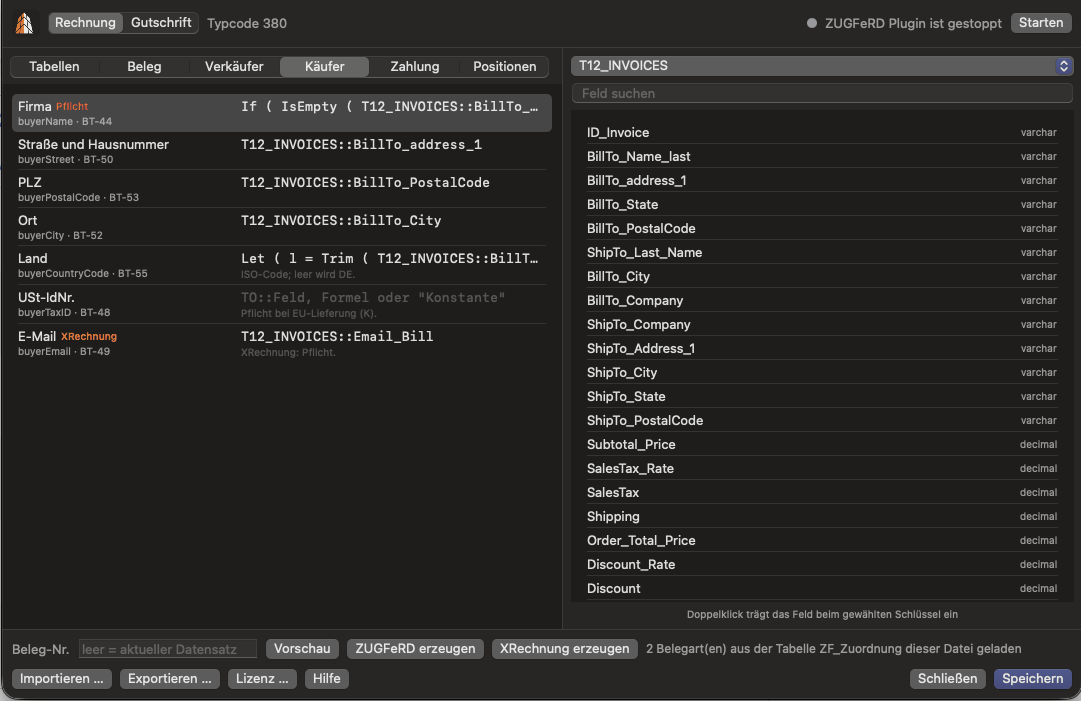
A window of its own for the field mapping
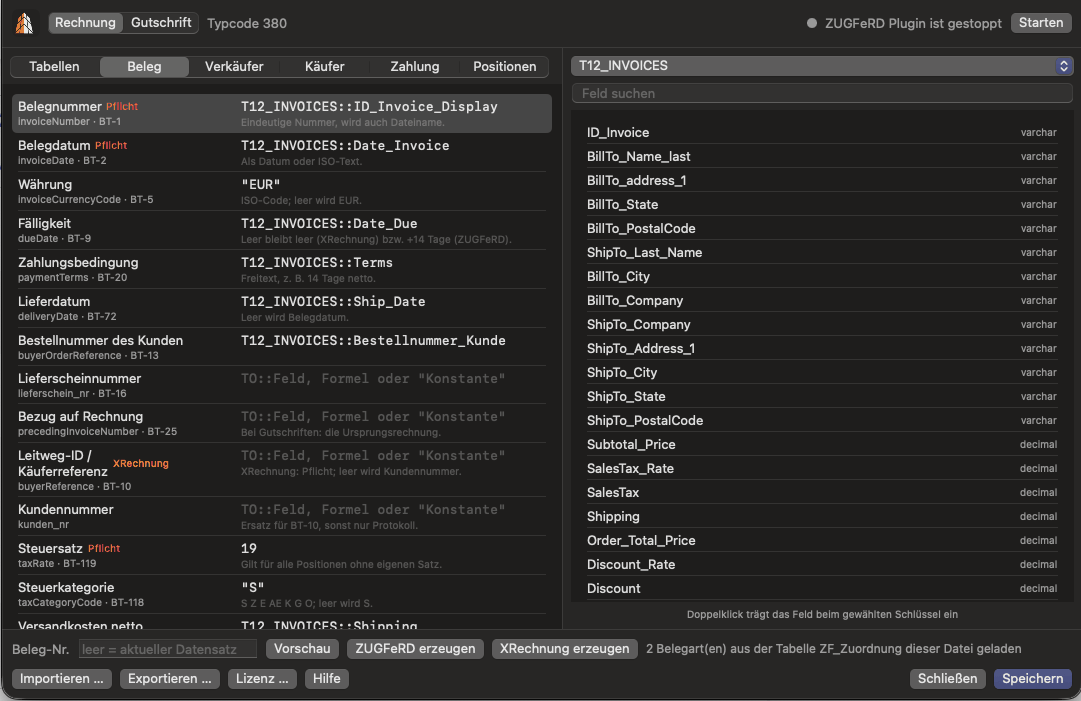
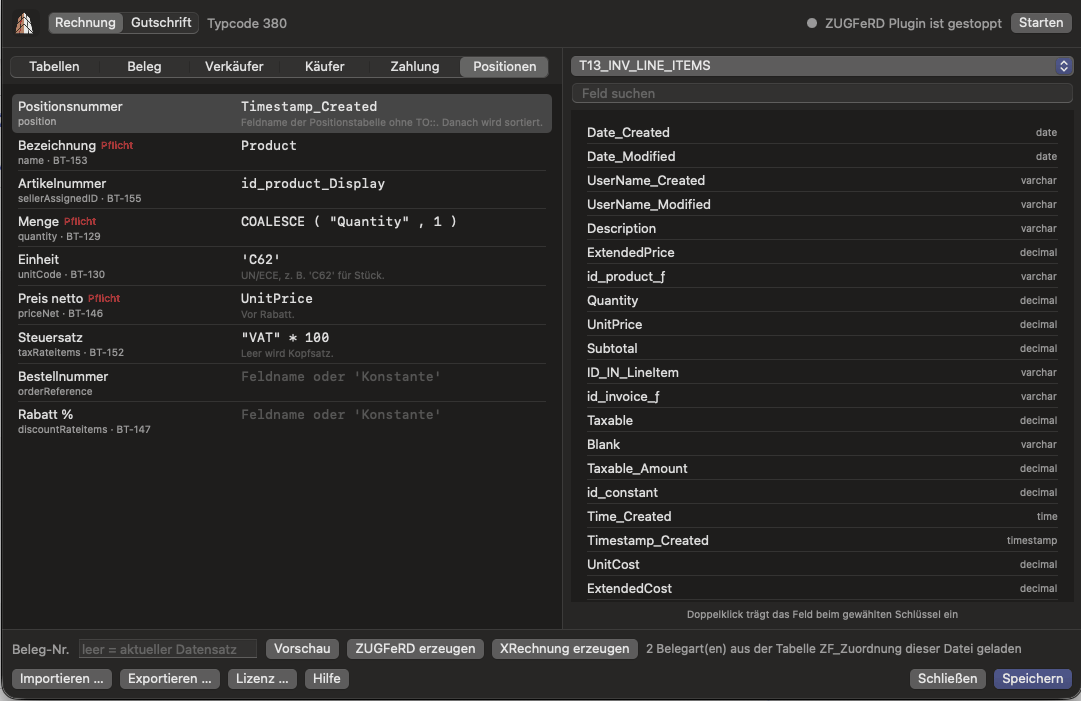
The mapping connects the fields of your solution with the data of the e-invoice. The plugin opens its own window on the Mac for this.
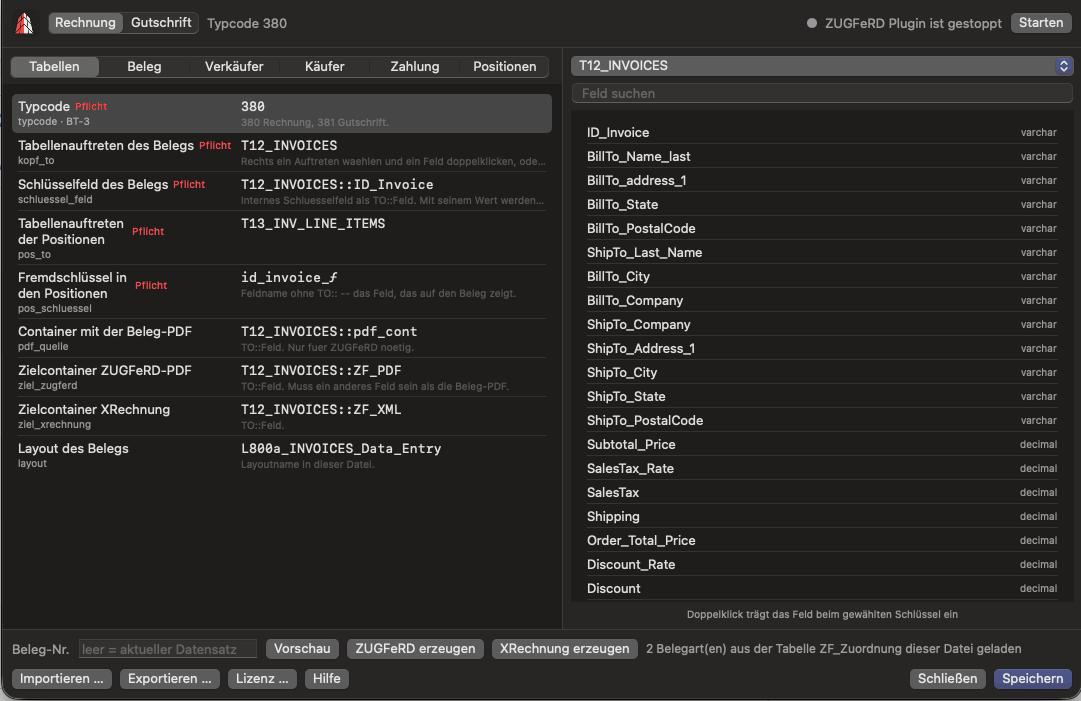
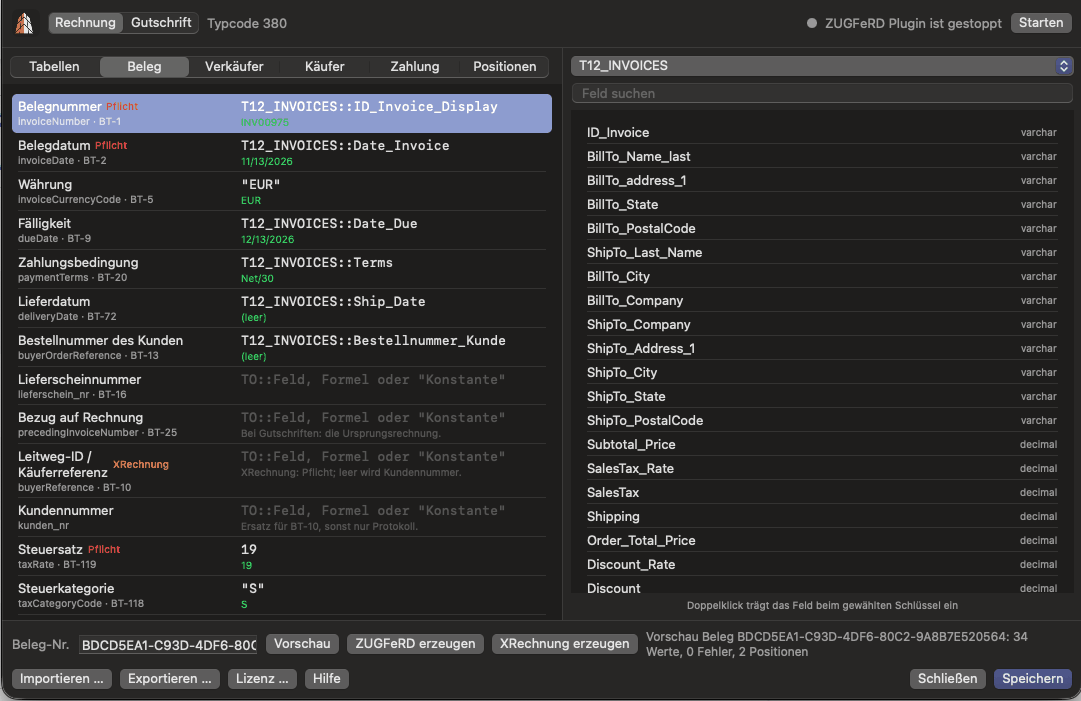
- Tabs for tables, document, seller, buyer, payment and line items
- Field search across all tables of your file
- Preview with the values of a real document, chosen by its document number
- Import and export of the mapping
It is saved in your file, in the table ZF_Zuordnung. If the table is missing, the plugin asks and then creates it. Mappings from the ZUGFeRD Creator version 3 and version 4 can be imported.
Plugin functions
The plugin functions
| Function name | Purpose |
|---|---|
ZUGFeRD_Creator | Creates a ZUGFeRD PDF or XRechnung and returns the file for a container field |
ZF_Zuordnung_Oeffnen | Opens the field mapping window |
ZF_Version | Returns the plugin version |
ZF_Server_URL | Starts the built-in server when needed and returns its address |
ZF_Server_Stoppen | Stops the built-in server, this also happens when FileMaker quits |
Status and limits
What works today and what is still open
- The plugin runs on macOS on computers with Apple silicon.
- Windows and Intel Macs are in preparation.
- Whether the plugin runs on FileMaker Server is still open.
- The plugin does not yet have a developer signature and is not notarized by Apple. That is why FileMaker asks whether to load it.
If you need Windows or FileMaker Server, keep using the ZUGFeRD Creator version 4.
Trial version
Request trial version
Write to us via the contact page with the subject ZUGFeRD Plugin. Please state your FileMaker version and your macOS.
Frequently asked questions